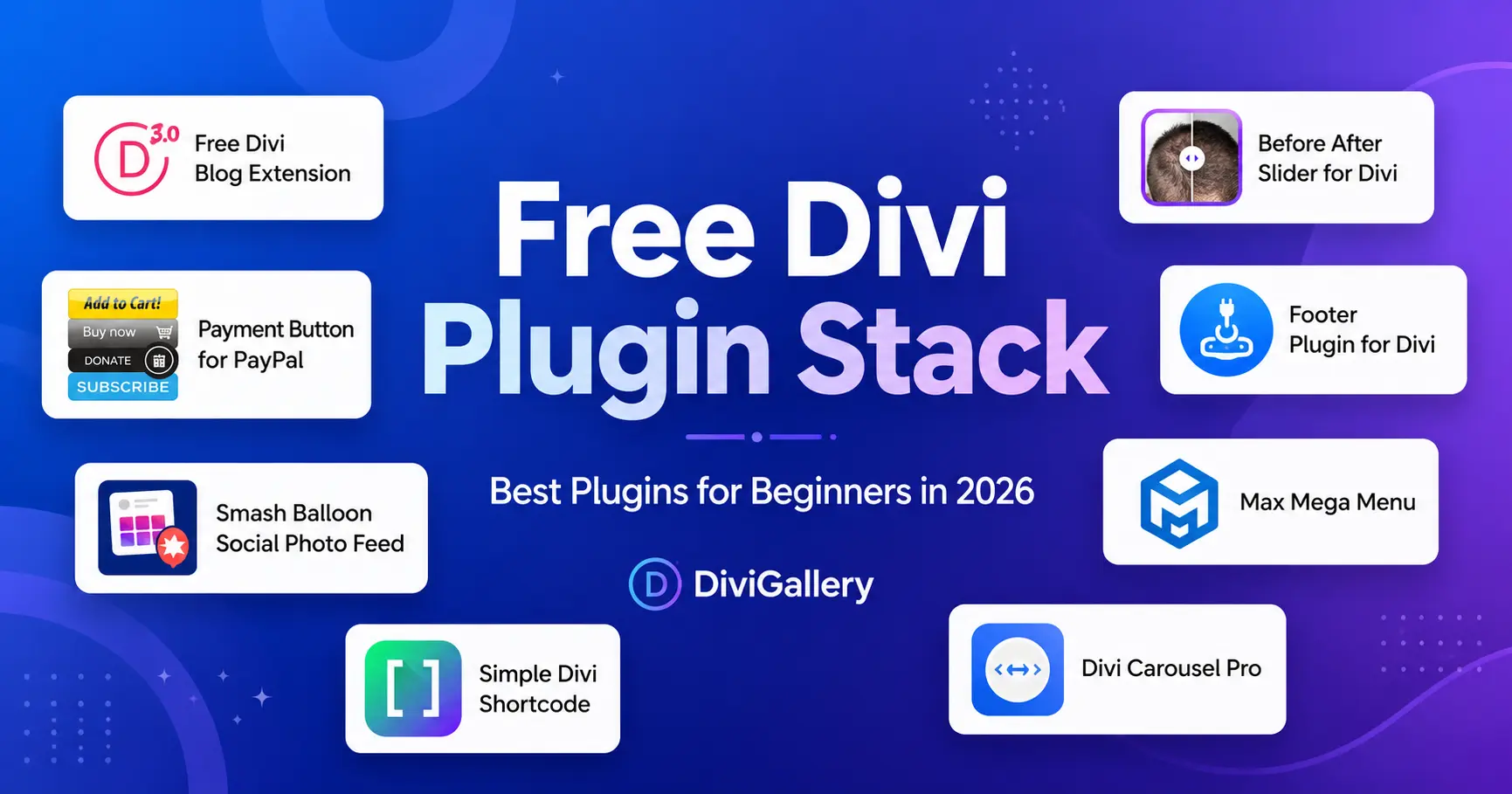
Divi gives you a strong foundation for building WordPress websites. You can design pages visually, create templates, customize layouts, and build professional sites without starting from a blank screen.
But once you start building real websites, you usually need more than the default Divi modules.
You may need a better blog design, you may want a popup for email signups, you may need a carousel for testimonials or logos, you may want stronger WooCommerce features, and you may need better image galleries, icons, forms, or performance tools.
That is where free Divi plugins, Divi addons, and Divi extensions can help.
Instead of installing random plugins, it is better to build a simple plugin stack based on your website’s actual needs. In this guide, we will walk through the best types of free Divi plugins to use, when to use them, and how to keep your Divi website clean, fast, and easy to manage.
If you want a broader plugin comparison, you can also explore our full guide to the best Divi plugins.
What Is a Divi Plugin Stack?
A Divi plugin stack is the small group of plugins you use to extend your Divi website.
The goal is not to install every free Divi plugin you find. The goal is to choose only the tools that improve your website.
A good Divi plugin stack usually includes:
| Website Need | Plugin Type |
|---|---|
| Better design sections | Divi addon or module plugin |
| Email signups | Popup or opt-in plugin |
| Better content display | Blog, carousel, or gallery plugin |
| Ecommerce features | WooCommerce Divi plugin |
| Better branding | Icon, font, or layout plugin |
| Site performance | Hosting, caching, and optimization tools |
| Search visibility | SEO plugin and Divi SEO setup |
This approach keeps your website flexible without making it heavy or difficult to maintain.
1. Start With Divi Itself
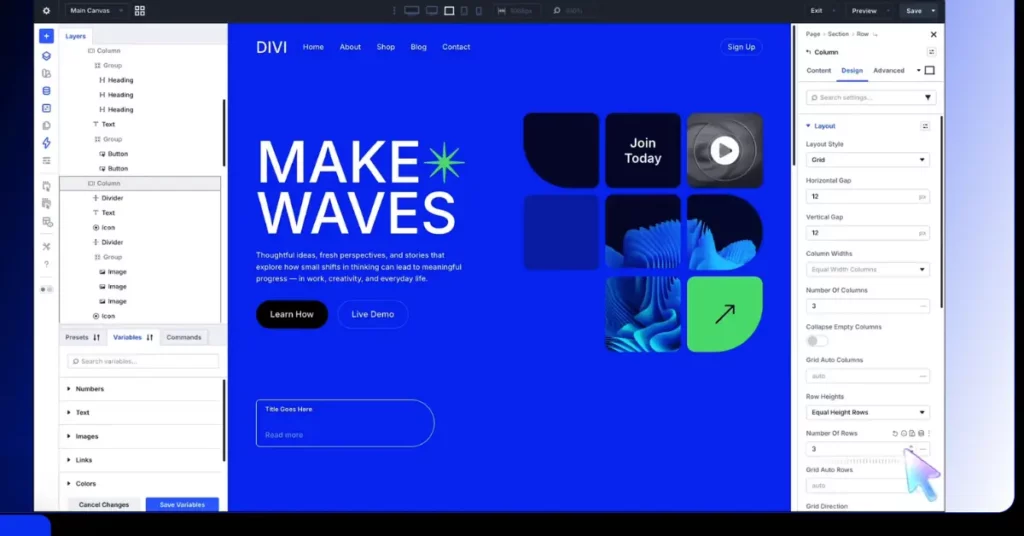
Before adding plugins, make sure your Divi setup is strong. Many beginners install plugins for features that Divi already includes.
Divi includes a visual builder, Theme Builder, global design settings, layout packs, responsive editing, and reusable design elements. You can learn more about Divi here: Divi.
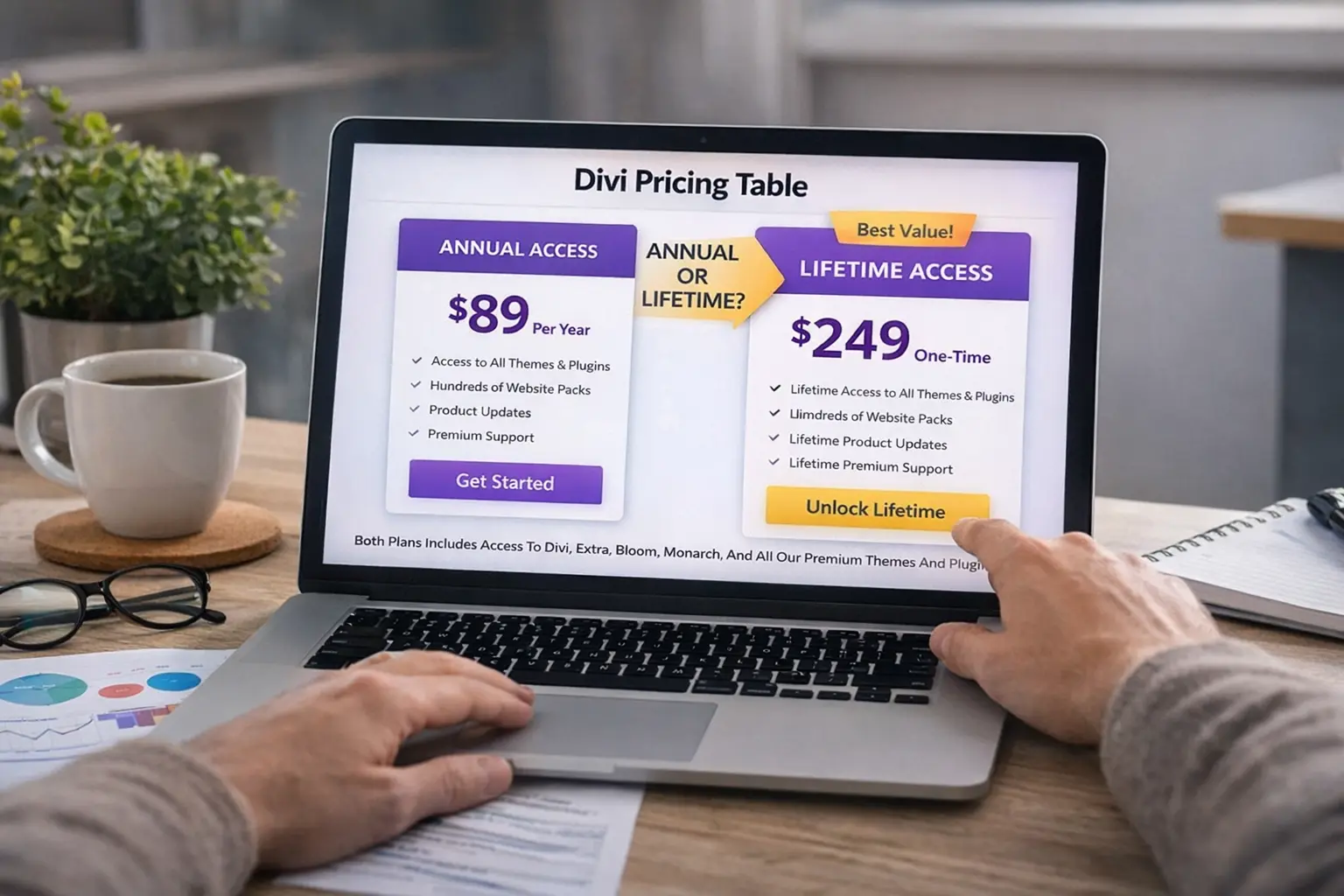
If you are still deciding whether Divi is worth the investment, these guides may help:
- Divi Lifetime vs Yearly
- Divi Pro vs Divi Lifetime
- Divi Pricing Yearly vs Lifetime Comparison
- Divi Pro Review
Once your core Divi setup is ready, then you can add plugins for the features Divi does not handle by default.
2. Use a Divi Addon Plugin for Extra Modules
The first plugin type many users need is a Divi addon plugin.
Divi add-on plugins usually add new modules to the Divi Builder. These modules can help you build better service sections, pricing blocks, icon boxes, timelines, carousels, review sections, and other design elements.
A good Divi addon plugin is useful when you want more flexibility without writing custom CSS or JavaScript.
You may want this type of plugin if you need:
- More Divi modules
- Better feature sections
- Creative landing page blocks
- Icon boxes
- Flip cards
- Review boxes
- Business hours sections
- Advanced buttons or headings
This is the best starting point for users who want to improve page design quickly.
For more plugin ideas, check our updated guide on best Divi plugins.
3. Add a Popup or Email Opt-in Plugin
If your website needs leads, newsletter signups, or campaign offers, a popup or opt-in plugin can be useful.
Divi users often use popups for:
- Newsletter forms
- Lead magnets
- Discount offers
- Product announcements
- Free downloads
- Contact prompts
- Webinar signups
For email marketing, Bloom Divi Plugin is a natural option to consider because it is built for opt-in forms and email list growth.
The important thing is to use popups carefully. A popup should help the visitor, not interrupt them too aggressively.
A good popup should have:
- A clear headline
- A simple offer
- One call to action
- Mobile-friendly spacing
- Easy close option
- Fast loading design
Popups work best when they support a real goal, such as collecting emails before a launch or offering a useful resource.
4. Use a Carousel Plugin for Logos, Testimonials, and Products
Carousels are useful when you need to show several items in a small area.
A Divi carousel plugin can be used for:
- Client logos
- Testimonials
- Featured products
- Portfolio items
- Team members
- Reviews
- Case studies
- Image sliders
Carousels are especially helpful on agency sites, SaaS websites, WooCommerce stores, and landing pages.
If you are building an agency website, you may also want to explore our guide to best Divi layout packs for agencies and marketing websites.
For ecommerce websites, carousels can help highlight products, offers, and categories. You can also read our guide on Divi for ecommerce and WooCommerce.
5. Improve Blog Layouts With a Divi Blog Plugin
The default Divi Blog module works well for simple posts, but many websites need a better blog layout.
A Divi blog plugin can help you create:
- Blog grids
- Article cards
- Magazine-style layouts
- Featured post sections
- Category-based layouts
- Better post archives
- Cleaner blog cards
This is useful for tutorial sites, news websites, review blogs, affiliate websites, resource hubs, and content-heavy websites.
If your website depends on organic traffic, improving your blog design can also improve user engagement. Pair that with a strong SEO setup using our Divi SEO guide.
6. Use a Gallery Plugin for Visual Websites
If your Divi website depends on images, a gallery plugin can make a big difference.
A gallery plugin is useful for:
- Designers
- Photographers
- Restaurants
- Agencies
- Real estate websites
- Event websites
- Portfolio websites
- Product showcases
Image-heavy websites should also use the right image dimensions. Poor image sizing can slow down a site and make layouts look messy. For help with that, read our ultimate guide to Divi image sizes.
7. Add Better Icons and Fonts for Branding
Small design details can make a Divi website feel more polished.
Icons and fonts are especially important for:
- Service boxes
- Feature lists
- Navigation sections
- Pricing tables
- Landing pages
- About pages
- Call-to-action sections
If your typography feels flat or inconsistent, start with your font choices before adding too many design plugins. Our Divi fonts preview guide can help you choose better font combinations for Divi websites.
A good icon or font setup can make your website easier to scan and more professional without adding heavy features.
8. Use WooCommerce Divi Plugins for Online Stores
If you are building an online store with Divi, regular design plugins may not be enough. WooCommerce websites often need more specific tools.
A WooCommerce Divi plugin can help with:
- Product pages
- Cart design
- Checkout styling
- Product carousels
- Category layouts
- Shop filters
- Sales banners
- Related products
You can explore our dedicated guide to the best Divi plugins for WooCommerce.
If you are still planning your store design, you may also find these useful:
For premium ecommerce child themes, you can also review options like Supreme Store Child Theme, Molti Ecommerce Divi Child Theme, and Divi Cart Pro.
9. Add Social Sharing or Social Proof
Social proof can help visitors trust your website.
Depending on your website, you may want to add:
- Social sharing buttons
- Instagram feeds
- Testimonials
- Review sections
- Client logos
- Case studies
- Team member sections
For social sharing, Monarch is one Divi-friendly option to consider.
Social proof works especially well on:
- Service websites
- Online stores
- Agency websites
- Personal brands
- Portfolio websites
- Coaching websites
You can also improve trust by showing real website examples, testimonials, and project results.
10. Choose Plugins With Divi 5 in Mind
Divi 5 is an important update for the Divi ecosystem, so plugin compatibility matters more than ever.
Before installing any Divi plugin, check whether it is actively maintained and whether the developer has mentioned Divi 5 compatibility.
If you are building a new website in 2026, avoid relying on outdated plugins that may not work well with future Divi versions.
Recommended Divi Plugin Stack by Website Type
For a small business website
Use:
- One Divi addon plugin
- One contact or opt-in plugin
- One gallery or testimonial plugin
- One SEO plugin
- Reliable hosting
Helpful resources:
For an agency website
Use:
- Divi addon plugin
- Carousel plugin
- Gallery plugin
- Blog layout plugin
- Social proof plugin
- Strong layout pack
Helpful resources:
- Best Divi Layout Packs for Agencies and Marketing Websites
- Web Agency Layout Pack
- Marketing Agency Layout Pack
For a WooCommerce store
Use:
- WooCommerce Divi plugin
- Product carousel plugin
- Cart/checkout enhancement
- Payment plugin
- SEO plugin
- Performance optimization
For a portfolio website
Use:
- Gallery plugin
- Carousel plugin
- Before-and-after plugin
- Contact form plugin
- Font and icon improvements
For a real estate website
Use:
- Gallery plugin
- Listing layout plugin
- Contact form plugin
- Map or location plugin
- Fast hosting
Free Divi Plugins vs Premium Divi Plugins
Free Divi plugins are useful when you need a simple feature. They are great for beginners, small websites, and testing ideas.
Premium Divi plugins are better when you need stronger support, advanced settings, regular updates, and professional reliability.
Use free Divi plugins when:
- You are learning Divi
- You need one small feature
- You are building a simple website
- You want to test an idea
- You have a small budget
Use premium Divi plugins when:
- You are building client websites
- You need long-term support
- You want advanced design controls
- You need WooCommerce features
- You need better forms, menus, blogs, or carousels
- You want more reliable updates
A smart approach is to start with free tools, then upgrade only when the website needs more advanced functionality.
Common Mistakes to Avoid With Divi Plugins
Installing too many plugins
More plugins do not always mean a better website. Too many plugins can make your website harder to manage and slower to load.
Using outdated plugins
Always check when a plugin was last updated. If it has not been maintained for a long time, test it carefully before using it.
Ignoring mobile design
A plugin section may look good on desktop but break on mobile. Always test every plugin module on tablet and phone.
Adding features without a purpose
Every plugin should support a clear goal. If it does not improve design, conversions, navigation, SEO, or user experience, you probably do not need it.
Forgetting image optimization
Large images can slow down a Divi website. Before adding gallery or carousel plugins, review your image sizes using our Divi image size guide.
FAQs About Free Divi Plugins
What are free Divi plugins?
Free Divi plugins are WordPress plugins that add extra features, modules, design options, or functionality to Divi websites without requiring a paid license.
Are free Divi plugins good enough?
Yes, free Divi plugins can be good enough for simple websites. They are useful for popups, carousels, galleries, icons, filters, payments, blog layouts, and extra modules.
What is the difference between Divi plugins and Divi addons?
A Divi plugin adds functionality to WordPress or Divi. A Divi addon usually adds new Divi modules, design settings, or builder features. Many people use both terms in a similar way.
Can I use regular WordPress plugins with Divi?
Yes. Many regular WordPress plugins work with Divi, including SEO plugins, caching plugins, payment plugins, gallery plugins, and social media plugins.
Do Divi plugins slow down websites?
Some plugins can slow down a website if they load heavy scripts or styles. Use only the plugins you need, optimize your images, and choose good hosting.
Which Divi plugin should beginners install first?
Most beginners should start with one addon plugin for extra modules, one form or opt-in plugin, and one gallery or carousel plugin if their website needs visual content.
Should I use Divi 5 with plugins?
Yes, but check plugin compatibility first. If a plugin is outdated or not actively maintained, test it carefully before using it with Divi 5.
Final Thoughts
Free Divi plugins are helpful when they solve a real problem. They can improve your design, add new modules, support email signups, improve galleries, display content better, and make your website easier to use.
The best setup is simple:
Start with Divi. Add only the plugins you need, test everything on mobile, watch your performance, Keep your site clean and easy to maintain.For more plugin ideas, visit our guide to the best Divi plugins or browse real Divi design inspiration in the Divi Gallery.