
If you build websites often, you know the real time sink is not installing WordPress or the Divi theme. The slow part is turning a blank design into something that looks finished: clean homepage sections, consistent inner pages, blog styling, and for stores, a WooCommerce setup that does not feel like default.
That’s why a premium Divi child theme is such a practical shortcut. A strong Divi child theme gives you a ready-to-use design system you can import, adjust, and launch quickly. You still have full control, but you start with a polished structure instead of rebuilding the same layout blocks every time.
In this roundup, we picked 9 premium options that are great for agencies, business sites, ecommerce stores, and creative portfolios. Most are sold through Elegant Themes listings and the larger marketplace ecosystem, so they are designed for Divi users who need speed, consistency, and clean templates.
Do You Need a Divi Child Theme to Build Better WordPress Websites?
A Divi child theme is essentially a safe layer that sits on top of the parent theme. It keeps your styling and edits separate, so your work stays protected when the parent theme is updated. In simple words, the child theme inherits design power from the parent Divi theme, and your custom setup stays intact even when you update the parent theme later.
A lot of people start building without a child theme, especially when learning. But when theme updates roll out and the main theme updates happen, that is when things break. This is why many developers say you require a child theme for serious projects. A child theme also helps when you want to add custom styling, reuse sections from the Divi library, and manage templates inside the Divi theme builder.
If you’re on the latest Divi, or even testing Divi 5, the goal is the same: protect your edits, move faster, and keep the workflow clean. You will often see people search for “divi child theme” because they want a setup that is stable, reusable, and scalable. A premium option can feel like the ultimate Divi shortcut because the theme already includes pages, design settings, and conversion sections. That is why there are so many child themes available now in the Divi ecosystem, including options from Divi Life and Divi Extended, plus products listed on the Divi Marketplace.
1) Ecommerce Fashion Theme Divi WooCommerce Child Theme
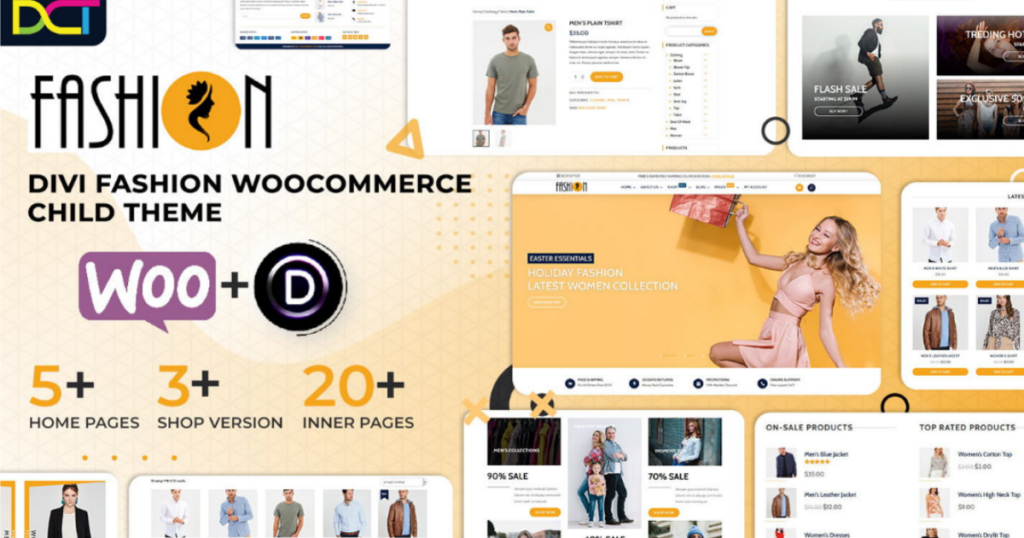
Ecommerce Fashion is a fashion theme built for boutiques, clothing brands, accessories stores, and modern product catalogs. If your goal is a trendy ecommerce look without heavy design work, this theme is a fast path.
It focuses on product grids, clean category browsing, and homepage sections that feel like a real storefront. This is ideal if you want a shop that looks branded and organized from day one.
For store owners who want a modern style, this woocommerce child theme helps launch faster while still giving room to customize later.
Key Features of the Ecommerce Fashion Theme
- Boutique-style storefront layout for fashion brands
- Strong category browsing and product grid structure
- Clean homepage sections for collections and promos
- Built for product photography and brand presentation
- Responsive store layouts for mobile shoppers
- Easy editing and customization inside Divi
- Structured pages to speed up launch time
- Great for modern ecommerce branding
Live Demo: Check out the Ecommerce Fashion live demo now.
Pricing: Listed around $70.
Get Ecommerce Fashion Theme Now
2) EMPIRE eCommerce Divi Child Theme
EMPIRE is built for brands that care about product presentation. The style is minimal, modern, and designed to make product images feel premium. If your store is visual-first, this theme is a great fit.
Many ecommerce sites feel crowded. EMPIRE goes the opposite direction with clean spacing and typography. That makes browsing easier and helps customers focus on products instead of clutter.
If you want an ecommerce theme that feels high-end, EMPIRE is a strong pick. It also fits nicely if you are building a store in a modern niche, especially with a bold or dark style.
Key Features of the EMPIRE
- Clean ecommerce layout style focused on product visuals
- Custom shop and product styling
- Mobile-friendly shopping experience
- Fly cart style feature support (as listed)
- Variation swatches support (as listed)
- Multiple layouts included for fast builds
- Dark style options for modern branding
- Designed for premium product presentation
Live Demo: Check out the EMPIRE live demo now.
Pricing: Listed around $59.
3) Divi Cart Pro WooCommerce Child Theme
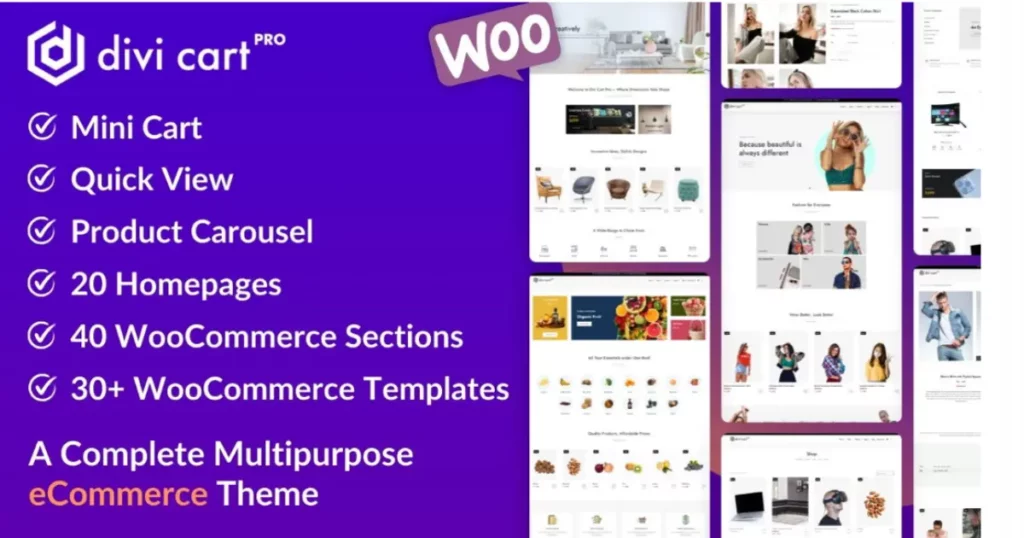
Divi Cart Pro is a strong pick when you want more than basic store styling. This theme is designed for ecommerce behavior, not just looks. It is especially helpful for stores that want shoppers to browse fast and access cart features without friction.
The reason Divi Cart Pro stands out is its store-focused components. It includes modules like a mini cart and product carousel so you can create a smoother purchase journey. When you combine Divi and WooCommerce, small improvements in cart flow can make a big difference in conversions.
If your store has multiple product categories, this theme helps avoid repetitive page styling. You can present products in different ways while keeping your store consistent and professional. It also supports a strong woocommerce theme foundation while still giving you a flexible Divi experience.
Key Features of the Divi Cart Pro Theme
- 4 built-in shop modules including mini cart functionality
- Custom shop module for more control over product grids
- Product carousel for featured, related, or best sellers
- Category display module for better navigation
- Multiple homepage layouts for ecommerce brands
- Cart and checkout templates that look branded
- Flexible product page styling options
- One-click import to start fast
Live Demo: Check out the Divi Cart Pro live demo now.
Pricing: Listed around $39.
4) Avanti Multipurpose Divi Child Theme (60+ Pages / 9 Niches)
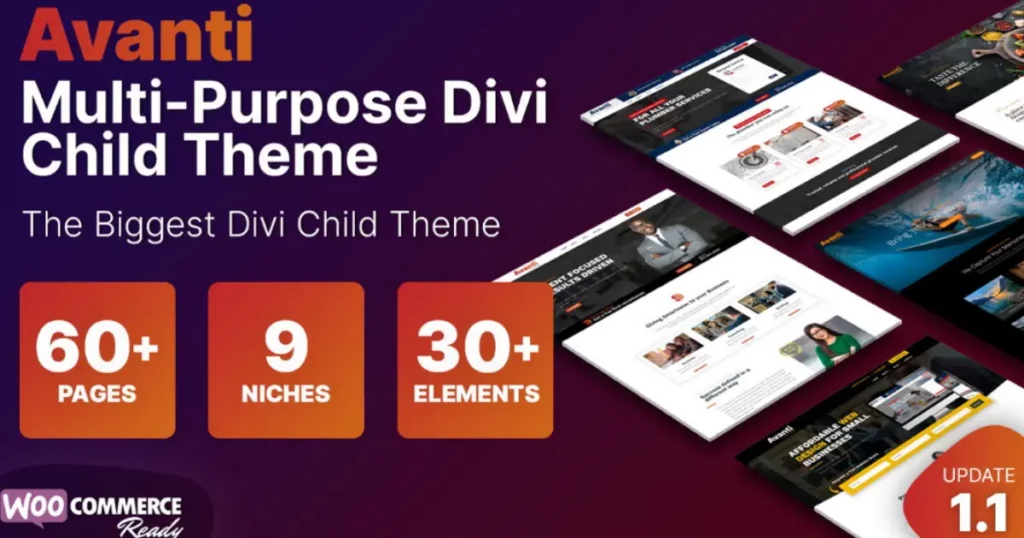
Avanti is built for people who build lots of sites. It includes dozens of pages across multiple niches, which makes it excellent for agencies and freelancers who want one purchase that can support many projects.
Instead of buying new templates for each industry, Avanti gives you variety in one pack. You can import a demo, swap content, and still combine sections to create something unique. This is the kind of versatile child theme that can handle “theme for every” type of project workflow.
If you are a builder-focused user, Avanti saves time because you are not reinventing your layout structure each time.
Key Features of the Avanti
- 60+ pages across 9 niches
- Woo-ready support for stores
- One-click import for fast setup
- Prebuilt headers and menus
- Prebuilt elements and sections to reuse
- Slide-ins and conversion components
- Flexible blocks for services, pricing, and CTAs
- Great for agencies building multiple websites
Live Demo: Check out the Avanti live demo now.
Pricing: Listed around $35.
Get Avanti Divi Child Theme Now
5) Supreme Store Premium Ecommerce Child Theme for Divi
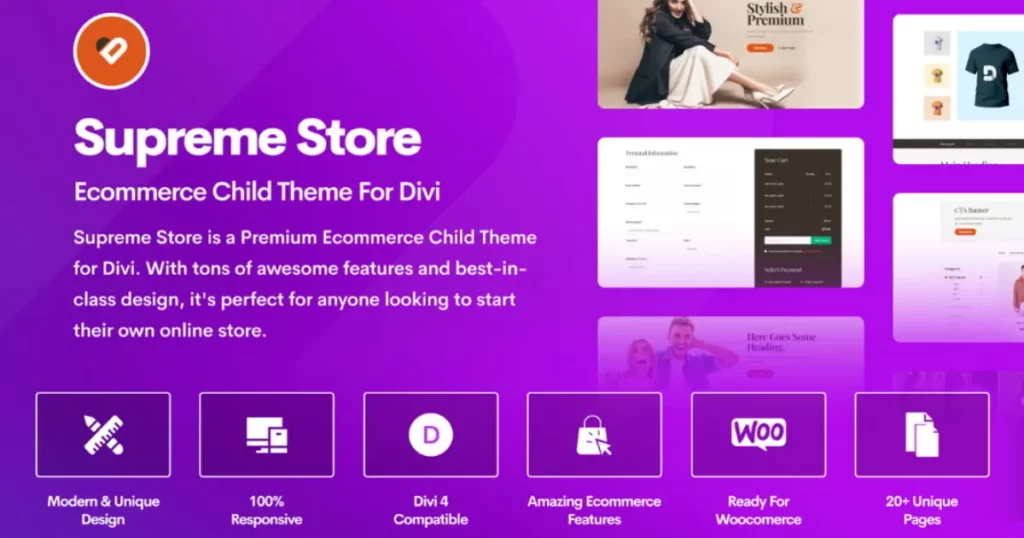
Supreme Store is a premium Divi child theme focused on ecommerce. If you want a WooCommerce store that looks modern right away, Supreme Store gives you a strong starting template. Instead of tweaking WooCommerce styles for days, you import the demo and start adding products.
This is ideal for boutiques, beauty brands, accessories, and product catalogs where browsing experience matters. The product sections and homepage layout are made to feel clean, organized, and brand-ready.
If you are building multiple stores, this ecommerce child theme can save time because it gives you a repeatable structure. You can keep the layout foundation and swap branding per project.
Key Features of the Supreme Store
- Store-focused layout structure for products and collections
- Styled shop and category pages for better browsing
- Cart and checkout styling that feels more modern
- Clean product grid design and consistent spacing
- Mobile-responsive ecommerce pages
- Easy editing inside Divi without heavy setup
- Built for simple product discovery and shopping flow
Live Demo: Check out the Supreme Store live demo now.
Pricing: Listed around $29.
Get Supreme Store Child Theme Now
6) Molti Ecommerce Modern Multipurpose Business + Ecommerce Child Theme
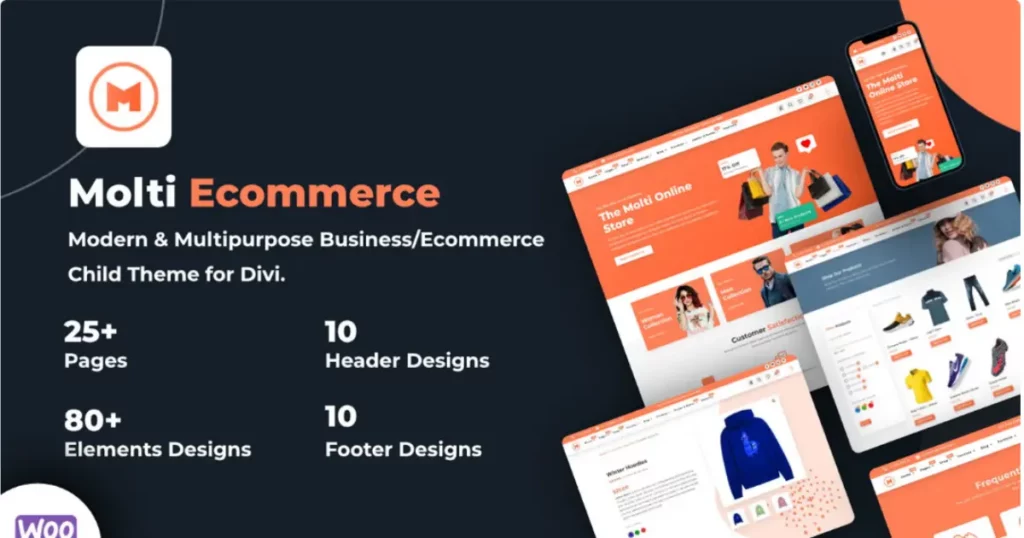
Molti Ecommerce is a multipurpose option that works best when the website is not only a store. It’s made for brands that need business pages first (about, services, contact), plus a store section that fits naturally inside the site.
This is useful for agencies that sell packages, local businesses that sell products, or service brands expanding into ecommerce. You get a strong business-style template and ecommerce-ready support in one system.
If you want a multipurpose divi child that gives you room to grow, Molti Ecommerce is a smart choice. You can launch a business site quickly and add ecommerce features as your catalog grows.
Key Features of Molti Ecommerce Theme
- Multipurpose business pages plus store-ready design
- 25+ total pages for full site coverage
- Woo-ready structure for ecommerce sections
- Multiple header and footer sets
- Mobile-responsive layouts and clean typography
- Uses simple plugin setup and demo importer
- Flexible for service sites that also sell products
- Designed for scalable website builds
Live Demo: Check out the Molti Ecommerce live demo now.
Pricing: Often listed around $25.
Get Molti Ecommerce Child Theme Now
7) Molti Multipurpose Business Child Theme
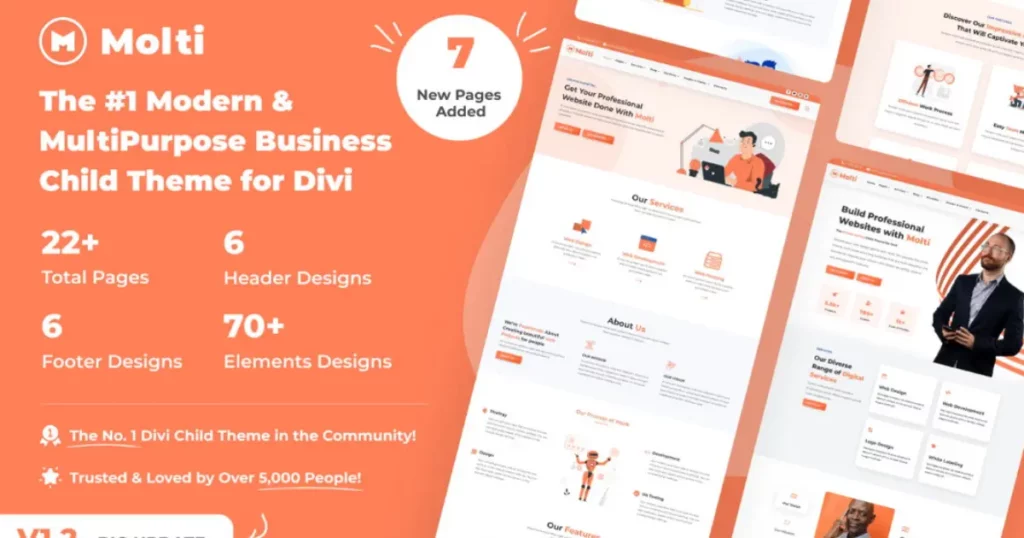
Molti Business is the non-ecommerce version for service websites. It is clean, modern, and built for consulting, renovation, agency services, and local businesses that need a professional look.
If you build client sites often, this is a multipurpose child theme that you can reuse across industries. You import the demo, replace copy, add branding, and the site already feels complete.
This is also helpful when the main theme is updated, because your structure stays stable inside the child theme. That is the real value of using a child theme the right way.
Key Features of Molti
- Multipurpose business template for many industries
- 22+ page designs for a complete site build
- Multiple headers and footers included
- One-click demo import
- Responsive pages for mobile and desktop
- Clean service sections and CTA blocks
- Easy to customize for different brand styles
- Documentation included for setup
Live Demo: Check out the Molti Business live demo now.
Pricing: Often listed around $25.
Get Molti Divi Child Theme Now
8) Molly SEO, Social Media and Marketing Divi Child Theme
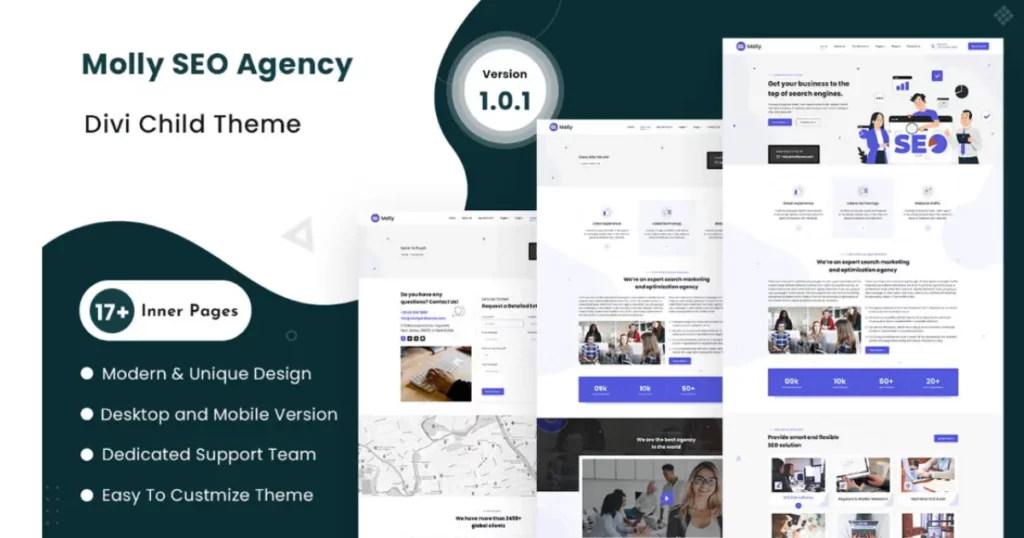
Molly is a Divi child theme built for service providers who sell SEO, social media marketing, PPC, and agency retainers. The overall layout is designed to guide visitors toward action: booking a call, requesting a quote, or filling out a form. It works especially well for freelancers who want an agency-style site without spending days building each section from scratch.
Because Molly is built with Divi, you can edit everything visually, adjust spacing, swap colors, and customize typography easily. For WordPress users, that matters because you can launch a full site quickly, then refine content over time without breaking the structure.
If you are a team doing client work, Molly is the kind of business child theme that helps you deliver a “real business” look fast. The theme makes it easier to show trust elements like testimonials, results, and service highlights in a consistent way.
Key Features of Molly Theme
- Agency-focused homepage layout with lead-generation sections
- Service blocks for SEO, social, ads, and content offers
- Case-study or results sections for proof and metrics
- Consistent header and footer styling
- Easy to customize with built-in Divi controls
- Mobile-friendly sections and clean spacing
- Ready page templates for key service pages
- Structured CTA placement for conversions
Live Demo: Check out the Molly live demo now.
Pricing: Usually listed around $21 (often discounted in sales).
Read More: Best Real Estate Templates for Divi Resources – Divi Gallery
9) Atelier Child Theme for Photographers, Creatives, and Makers
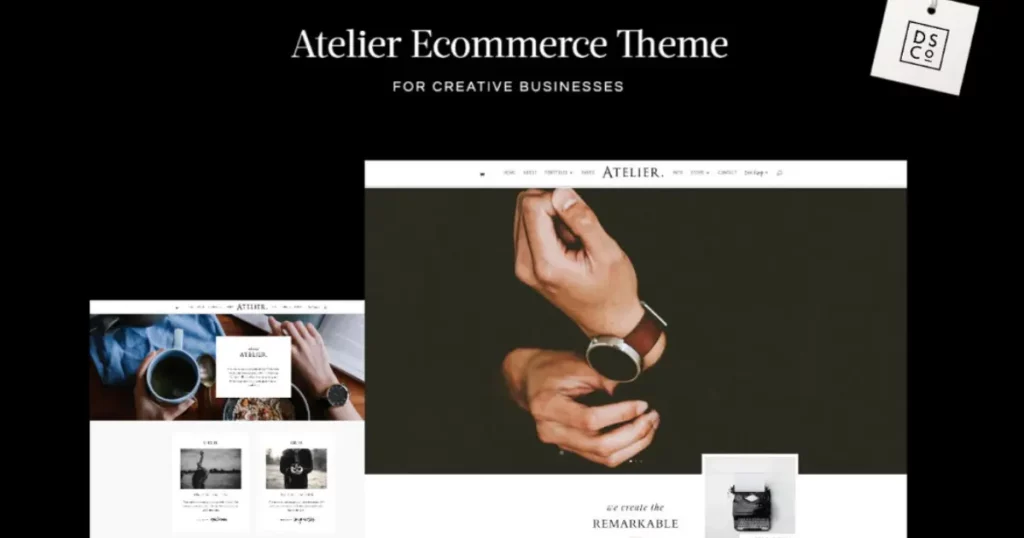
Atelier is designed for creatives who want a refined, gallery-first website. It works best for photographers, artists, makers, and studios where visuals matter more than heavy design effects.
The layout is elegant and minimal, which makes your portfolio look more premium. It also includes blog options, which helps if you want to publish content for SEO or share behind-the-scenes posts.
If your niche is creative or boutique, Atelier can also support selling prints or services. It is not only a portfolio theme, it has optional ecommerce support too.
Key Features of the Atelier
- Portfolio-first layout system for creatives
- Multiple gallery styles and presentation options
- Blog styling that matches the portfolio look
- Optional store support for selling prints or products
- Minimal, clean spacing for premium visuals
- One-click demo install guidance
- Good typography base for branding
- Built for creative storytelling websites
Live Demo: Check out the Atelier live demo now.
Pricing: Listed around $165.
How Do You Choose the Best Divi Child Theme for Your Website?
Start by being clear about the goal of your Divi website. Are you building a service site, a portfolio, or an online store? The best Divi child themes are the ones that match your site type, not the ones with the most pages. A business-focused template should have strong service sections, testimonials, and clear calls to action. An ecommerce-focused option should include shop styling, product page structure, and cart flow improvements for WooCommerce.
Next, open the live demo and scan the layout like a real visitor. Look at the homepage sections, inner pages, blog styling, and the overall spacing. A quality premium Divi child theme usually feels consistent from top to bottom. You should not feel like you need to redesign everything just to make it usable. If you already use Divi daily, you will instantly notice when a theme’s layout is clean and ready versus messy and unfinished.
Do You Really Need a Child Theme for Divi, or Can You Work Without It?
You can build a site without a child theme, but it becomes risky when theme updates happen. The parent theme receives regular updates, and if your changes are applied to the main theme files, those edits can disappear when you update. A Divi child theme protects your work because the child theme inherits the design system of the parent Divi theme, while keeping your custom styling and template setup separate.
If you plan to add custom styling, reuse page designs, or build multiple sites for clients, you will almost always need a child theme. It is also a smoother workflow when using the Divi theme builder, because you can keep global templates consistent while still editing pages fast inside the Divi Builder.
What Should You Check in a Premium Divi Child Theme Before Buying?
First, check what pages are included. Many premium themes look great on the homepage, but the real time-saver is the full set of pages like About, Services, Contact, Blog, and niche-specific pages. Also confirm how the theme handles headers, footers, and global styling, because that affects how easy it is to customize your whole site quickly.
Second, confirm updates and support details. If the theme is on the Divi Marketplace, it usually comes with a standard support window and access to updates. This matters when the parent theme is updated or when new Divi updates roll out. A good child theme ensures compatibility and keeps your site stable as the main theme updates continue over time.
Which Divi Child Themes Are Best for WooCommerce Stores?
If your store is the priority, choose a child theme designed specifically for Divi and WooCommerce. A regular business theme can work, but store-focused options usually include better product grid layout, category pages, and improved cart and checkout styling. That difference matters because a clean store experience can directly impact sales.
For example, a store-focused theme or one built around tools like Divi Cart Pro is great when you need mini-cart features, product carousels, and more control over WooCommerce presentation. If you want an ecommerce-first layout, pick an ecommerce child theme or a woocommerce child theme that is built around shopping behavior, not just design.
Should You Pick a Multipurpose Divi Child Theme or a Niche Template?
A multipurpose option is best when you build many websites or want flexibility. A strong multipurpose divi child theme gives you multiple layout styles and reusable blocks, which is perfect for agencies and freelancers. It also helps if you are not sure what direction the site will take later, because multipurpose themes usually include extra page types and broader design coverage.
A niche template is better when you want a very specific look fast, like a photography portfolio, a fashion storefront, or a marketing agency site. These niche themes often have sections designed specifically for that audience, so the layout feels more natural right away and needs less editing.
Conclusion
A premium Divi child theme is one of the fastest ways to go from “installed” to “ready to launch” without sacrificing quality. Instead of rebuilding the same homepage blocks, inner pages, and styling every time, you start with a complete template that already looks consistent across your site. That means less time fixing design details and more time focusing on content, conversions, and real business goals.
The smartest way to pick the right theme is simple: match it to what you’re building. If your goal is ecommerce, choose a WooCommerce focused option that improves product pages, cart, and checkout flow. If you’re building an agency or service site, prioritize strong service sections, testimonials, case studies, and clear calls to action. For creative portfolios, a clean layout with gallery options will make your work look more premium with less effort.
Before you buy, always open the live demo and check the pages you actually need, homepage, about, services, blog, contact, and if relevant, shop layouts. A good premium Divi child theme should feel like a shortcut to a complete Divi website, not something you still have to “finish later.”

