If you have ever stared at a blank Divi page and thought, “I know what I want, but I do not want to build this section from scratch again,” then Divi AI is speaking directly to you.
That is the real promise behind Divi AI in 2026. It is not just about generating text for the sake of it. It is about helping you move faster inside the Divi Builder when you are building real pages for real projects.
So, can it actually speed up web design work?
In many cases, yes. It can. But the answer depends on what kind of work you do, how you use Divi, and whether you expect AI to do the whole job or simply help you get to a better first draft much faster.
This review breaks down what Divi AI does well, where it saves time, where it still needs your judgment, and who should actually pay for it.
Elegant Themes describes Divi AI as a set of AI tools inside Divi that can generate pages, layouts, text, images, and code, with context from your website and the current page.
What Divi AI actually does in 2026
Divi AI is no longer just a text helper. Elegant Themes positions it as a broader AI toolkit built into Divi, with page, layout, section, module, text, image, and code generation. ET also announced the full suite of Divi AI tools for Divi 5 in early 2025.
From the official Divi AI page, the core capabilities include:
- generating full pages and layouts from prompts
- writing and refining text content
- generating and modifying images
- generating code and custom CSS inside the builder
- using website and page context to create more relevant outputs
- storing brand styles like colors and fonts for more consistent results across layouts
That combination is what makes Divi AI more practical than using disconnected tools in separate tabs.
Where Divi AI genuinely saves time
The biggest value is not that Divi AI can “create a website in one click.” The biggest value is that it removes friction at several points in the workflow.
If you build client sites, you already know where time disappears. It disappears in the setup. It disappears in repetitive content blocks. It disappears in writing placeholder copy that still has to look credible. It disappears in image hunting. It disappears in CSS tweaks for small customizations.
1) Faster first drafts inside the builder
This is where Divi AI feels most useful. Instead of starting with empty modules, you can generate text, sections, and layouts directly in the place where you are already working. ET emphasizes one click generation and contextual content suggestions based on existing page and site details.
That matters because speed is not only about raw output. It is about staying in flow.
2) Context-aware copy and page content
Elegant Themes says Divi AI considers your website name, description, company details, and current page/module context when generating content. They also describe this as a way to reduce writer’s block and replace lorem ipsum with usable draft content.
In practice, this can save time when you are building service pages, landing page sections, FAQs, and supporting text that would otherwise take longer to draft from zero.
3) AI images without leaving your workflow
Divi AI can generate images and refine existing images from prompts, and ET notes the generated images can be applied inside the builder workflow.
Is every image perfect? No. But for placeholders, concept visuals, background graphics, and quick section imagery, it can reduce the time spent searching stock libraries.
4) Code and CSS generation for small customizations
This is one of the more underrated features for professionals. ET says Divi AI can generate code, custom CSS, and work inside the code module, and that it is trained on the Divi module codebase.
That can be a real time saver when you need quick custom styling or simple interactions and do not want to hand write every line.
Where Divi AI does not magically solve everything
This is the part many reviews skip, but it matters if you want to use Divi AI well. Divi AI can speed up production, but it does not remove the need for:
- design direction
- client context
- brand strategy
- content review
- conversion thinking
- QA testing
You will still need to edit what it creates. You will still need to decide what looks good. You will still need to rewrite sections for clarity or tone when necessary.
That is normal. In fact, that is the best way to think about it.
Divi AI is strongest when you use it to get to a strong draft faster, then refine. If you expect instant final quality with no review, you will probably be disappointed.
Can Divi AI actually speed up web design work for freelancers?
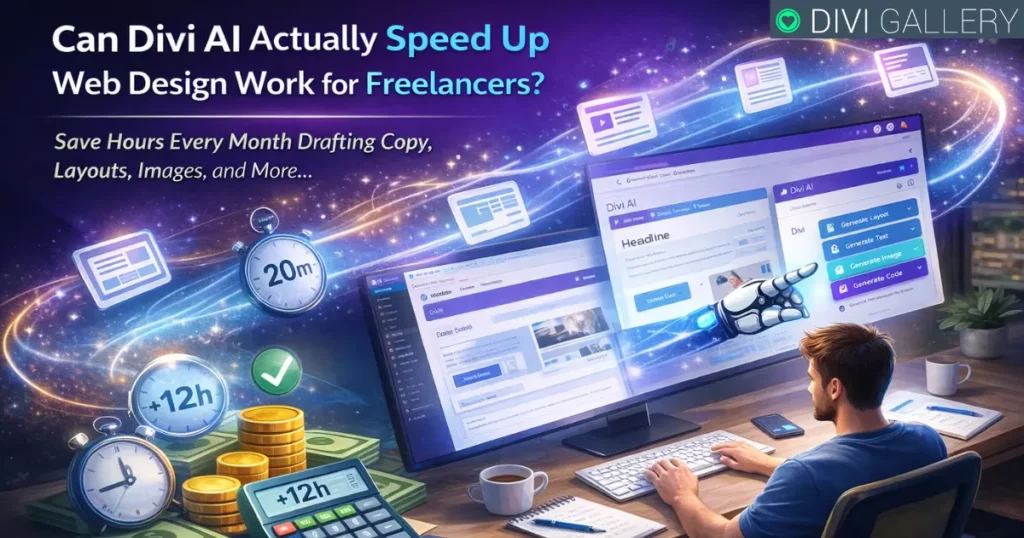
For many freelancers, yes, and often in a very practical way. If you are building multiple client sites or landing pages every month, Divi AI can help you move through repetitive tasks faster. That includes drafting section copy, generating starter layouts, creating supporting visuals, and handling smaller code tweaks without leaving the builder.
Even small time savings add up. Saving 20 minutes here and 30 minutes there across multiple pages can easily turn into hours per month.
That is where Divi AI becomes less of a novelty and more of a workflow tool. It is especially useful if your bottleneck is not design skill, but output speed.
Can Divi AI help agencies too?
Yes, and agencies may get even more value than solo users. Elegant Themes markets Divi AI to teams as well, and the Divi AI page notes team usage and unlimited generation messaging under Divi AI and Divi Pro offers.
For agencies, Divi AI can help by making it easier to:
- speed up page production for junior team members
- create better first drafts before senior review
- reduce back and forth on basic layout and copy setup
- keep work moving when deadlines are tight
Agencies still need process and quality control, but Divi AI can reduce a lot of low leverage production time.
Divi AI pricing in 2026
At the time of writing, Elegant Themes shows Divi AI Unlimited pricing for existing Divi users at both monthly and yearly rates. The page lists:
- $21.36/month (monthly billing)
- $16.08/month billed yearly, which is $193/year for Divi AI Unlimited
ET also says Divi Pro includes unlimited Divi AI usage and promotes Divi Pro at $277/year on the Divi AI page, with bundled pro services and discount messaging that can vary over time.
Elegant Themes also notes a limited free Divi AI experience for Divi customers before upgrading to unlimited usage.
As always, pricing and promos can change, so it is worth checking the official page before publishing or buying.
Divi AI vs using separate AI tools
This is the most important comparison for real users. You can absolutely build a workflow with ChatGPT, an image generator, and other tools in separate tabs. Many people do.
The advantage Divi AI claims is convenience and context. ET says Divi AI is integrated inside the Visual Builder, can apply text directly to the page, upload images into the media library, and create more relevant content because it understands Divi and learns from your website context.
That does not mean it will beat every standalone AI tool in every category.
It means it can be faster for Divi users because the workflow is tighter. For many freelancers and agencies, that is the point.
What I like most about Divi AI
What makes Divi AI interesting is not just the feature list. It is the way those features are placed inside an existing workflow.
If you already build with Divi, Divi AI feels useful because it reduces context switching. You are not constantly copying prompts, pasting text, downloading images, and re-uploading them. You can generate and iterate while you are designing.
That alone can make it worth testing.
I also like that it is not limited to text. The combination of layout, image, and code assistance makes it much more practical for web design work than a simple writing assistant.
What to watch out for before you buy
Divi AI is easier to justify when you are actively building sites.
If you only update a website once in a while, you may not use it enough to justify a recurring subscription.
It is also possible to overuse AI and end up with generic pages if you do not edit the output. The best results come when you treat Divi AI as a starting point and apply your own design and content standards.
In other words, Divi AI can make you faster, but only if you still make the final calls.
So, can Divi AI actually speed up web design work?
Yes, for the right user, it absolutely can. If you are a Divi freelancer or agency building client sites regularly, Divi AI can reduce repetitive work, speed up drafting, and help you move from blank page to working layout much faster. ET specifically highlights full page generation, contextual text, image generation, and code generation inside the builder, and those are exactly the kinds of features that affect production speed.
If you are a casual user building one site and rarely touching the builder, the value is less obvious.
So the best answer is simple. Divi AI is not magic, but it is useful. And for busy Divi users, useful usually means faster.
Conclusion
Divi AI is worth considering in 2026 if your goal is to speed up real Divi workflows, not just experiment with AI. It works best for freelancers and agencies who need faster drafts, quicker page creation, and less friction inside the builder. It is not a replacement for strategy or quality control, but it can be a very effective force multiplier when used well.
If you build with Divi often, Divi AI can save meaningful time. If you barely use Divi, it is probably a nice to have, not a must have.