Choosing the right Divi hosting can make a bigger difference than most people expect. You can have the best layout, a strong design, and the right plugins, but if your hosting provider is slow or unreliable, your Divi website will still feel heavy. That is why many site owners focus too much on themes and not enough on the server behind the site.
This guide is worth reading because it helps you compare the real options for hosting for Divi without the usual confusion. Instead of giving you a random list of generic hosts, this article focuses on the providers that make the most sense for a Divi-powered site, including SiteGround, Cloudways, and Flywheel, plus premium alternatives like Kinsta and WP Engine. If you want to choose the best setup for speed, stability, and long-term growth, this article will help you make the right decision.
Check SiteGround for Divi.
What makes Divi hosting different from regular WordPress hosting?
At first glance, all WordPress hosting can look similar. Most hosts promise speed, uptime, support, and simple setup. But a Divi website usually puts more pressure on the server than a very lightweight blog theme. Divi is a visual website builder, which means it often uses more design assets, more interactive features, and more complex layouts than a basic template. That is why the quality of your hosting provider matters so much.
Good Divi hosting is not only about storage or bandwidth. It is about performance, caching, memory, and how well the system handles a modern WordPress build. If the server is weak, the builder can feel slow, the front end can load poorly, and your editing experience becomes frustrating. That is why the right hosting for Divi should be optimized for WordPress, secure, and built to support the kind of work Divi users actually do.
This also matters if you are building client sites. A Divi site for a local service business might be easy to run, but a bigger WordPress website with forms, ecommerce, and multiple plugins needs stronger hosting solutions. The better the hosting foundation, the easier it becomes to stay successful with Divi over time.
See Cloudways hosting for Divi.
How should you choose the best hosting provider for a Divi website?
The first step in choosing the best hosting is being honest about your actual needs. A beginner launching 1 website does not need the same setup as an agency managing multiple websites. Some users just need a stable hosting service for one brochure-style site. Others need staging, backups, easy cloning, team access, or more advanced hosting environments for client work.
To choose the best hosting service, ask a few simple questions. How many sites will you manage? Do you need email? Do you want a simpler dashboard or more control? Will you run WooCommerce? Are you planning a smooth migration from another host? Those questions matter more than flashy sales claims. The best hosting provider is the one that matches your workflow, not just the one with the loudest homepage.
A good rule is this: if you want simplicity, start with a beginner-friendly hosting option. If you want control and scale, go toward stronger cloud hosting. If you work with clients, look at workflow-focused managed hosting. That is the smartest way to think about hosting for Divi.
Compare best hosting for Divi here.
Is SiteGround the best hosting for Divi beginners and small business websites?
For many users, SiteGround is the easiest recommendation. It has a strong reputation in the hosting industry for managed WordPress hosting, good performance, and beginner-friendly tools. If your goal is to launch a new Divi site without technical complexity, SiteGround is often the cleanest starting point. It works well for solo creators, agencies with smaller client sites, and especially small business Divi websites.
One reason SiteGround stands out is balance. It offers a solid hosting experience without making the setup feel too technical. That matters because many Divi users are designers, marketers, or business owners, not server experts. If you want a straightforward hosting provider with backups, caching, security, and a smooth dashboard, SiteGround is one of the safest choices.
It is also a smart pick if you want to keep the project simple. A lot of people overcomplicate their stack when they only need one site or a modest business site. In that situation, SiteGround often feels like the best hosting mix of convenience, speed, and stability.
Check SiteGround Managed WordPress Hosting.
When is Cloudways the best hosting for Divi users?
Cloudways become attractive when you need more power, more control, or more room to grow. It is a stronger fit for advanced users, agencies, stores, and site owners who expect higher traffic or want more flexible cloud hosting. While SiteGround is often easier for beginners, Cloudways is often the smarter hosting platform for people who care about custom stack choices and long-term scalability.
This is especially true for users who build sites for clients or manage more than one project. Cloudways gives you a more serious managed cloud hosting experience, which makes it useful if your hosting needs go beyond a simple brochure site. For example, if you are running a large WordPress website, an online store, or a site with many tools and integrations, Cloudways often becomes the stronger hosting option.
The main tradeoff is simplicity. Cloudways can be more technical than beginner-friendly shared or entry-level managed plans. But for people who want better control of their hosting server, stronger scaling, and a more advanced setup, Cloudways is a very smart choice for Divi. It is one of the best options when your goal is serious performance and growth.
Explore Cloudways now.
Why do so many agencies still like Flywheel for Divi and WordPress work?
Flywheel has always appealed to agencies, designers, and freelancers because it focuses on workflow, not just raw hosting specs. If your business involves launching client sites, managing handoff, or keeping projects organized, Flywheel is still one of the most attractive names in managed hosting. It is especially useful for people who want a premium, design-friendly dashboard and a smoother agency process.
For agencies, the real value is convenience. A hosting provider like Flywheel is built for repeated production, not just one personal project. That makes it a strong option if you are handling multiple websites, building client sites regularly, or want hosting that feels more tailored to agency operations. Many users prefer it because it removes a lot of the friction from everyday maintenance and site launches.
If you are a freelancer or a growing studio, Flywheel may be the right fit even if it costs more than entry-level hosts. The extra cost can be worth it if it saves time and helps you manage sites more professionally. For many teams, that is exactly what makes Flywheel such a strong best Divi hosting contender.
Shared hosting vs managed hosting: which hosting for Divi makes more sense?
A lot of users still ask whether shared hosting is enough. The honest answer is yes, sometimes, but only for very simple projects. If you are building a tiny personal site with minimal traffic, basic shared hosting can work. But if you want a smooth builder experience, stronger security, and better site performance, managed hosting usually makes more sense.
Divi is not just a light text theme. It is a visual website builder made for layouts, modules, and more advanced styling. That means Divi and WordPress usually perform better on a host that is clearly built around WordPress tools, backups, security, and caching. This is why managed WordPress hosting is often the smarter answer for serious sites.
That does not mean every expensive plan is necessary. It just means the cheapest host is not always the best long-term decision. If your goal is to build a strong Divi website, especially one that needs reliable updates, a clean staging path, and a secure environment, then managed hosting is usually the better route.
Choose the best hosting service here.
What hosting plans and features should you compare before you buy?
When comparing hosting plans, do not focus only on storage or price. Look at the features that actually affect your daily workflow. Good hosting packages should include backups, strong security, caching, SSL, and easy migration options. If a host saves you time every week, it usually becomes more valuable than a host that only looks cheaper on day one.
You should also compare things like staging, support, scaling, and the number of sites allowed. Some plans are best for 1 website, while others are better for unlimited websites, 30 websites, or even larger agency setups. This is where your future matters. If you already know you will grow, it makes sense to choose a more scalable hosting solution now instead of changing hosts too often later.
Another important area is extras. Some plans include free SSL certificates, some offer free migration, and some include a free CDN or even a free content delivery network setup. Those things can make a real difference in speed and convenience. The more essentials that are already included, the easier it becomes to launch and maintain a Divi project properly.
Check Flywheel or Cloudways if you want stronger workflow features.
How do plugins, WordPress updates, and the Divi theme affect hosting performance?
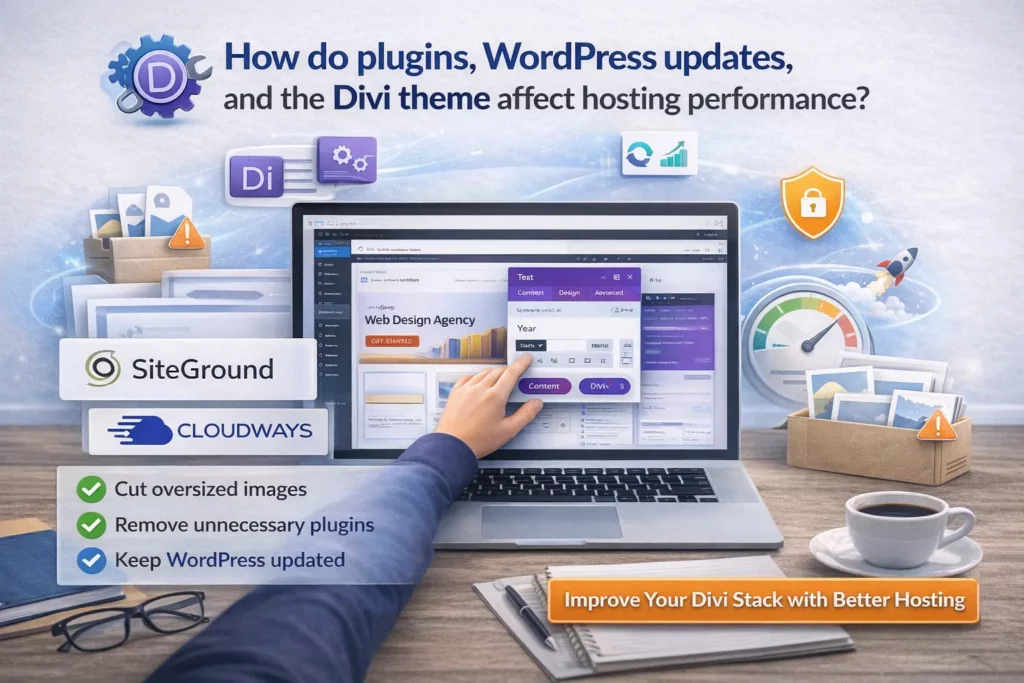
A visual guide showing how plugins, WordPress updates, image optimization, and hosting choices affect Divi website performance.
Even the best hosting provider cannot rescue a bloated site completely. Hosting matters, but so do your design choices, image sizes, theme settings, and plugins. A Divi website with too many third-party add-ons, oversized images, and poor optimization can still become slow, even on premium hosting. That is why smart hosting and smart site building need to work together.
The same goes for WordPress updates and maintenance. A host can provide a better environment, but the site itself still needs care. Keeping a lean stack, testing changes carefully, and using only the most useful plugins will make any host work better. If you want more help here, your articles on the ultimate guide to Divi image sizes and best Divi plugins for 2026 fit naturally with this topic.
This is also why Divi users should not judge a host too quickly. Sometimes the real issue is not the server at all. It is the site setup. If you want the strongest performance for Divi websites, combine good WordPress hosting with good optimization habits.
Improve your Divi stack with better hosting.
What is the best hosting option for one site, multiple websites, and agency growth?
If you are launching one site, you probably do not need an advanced cloud setup on day one. In that case, SiteGround is usually the most sensible pick. It gives you a stable, secure, and beginner-friendly hosting service without too much complexity. For most smaller projects, that is enough.
If you manage multiple websites, the decision changes. This is where Cloudways and Flywheel become more attractive. Cloudways is better for users who want stronger technical control and scaling flexibility. Flywheel is better for people who want agency workflow, smoother collaboration, and a more polished client-focused setup. The better your understanding of your workload, the easier it becomes to pick the hosting provider that matches it.
If you run an agency or expect to scale hard, it is better to think beyond today’s smallest plan. A host that works for 1 website may not feel as good when you reach 30 websites or even 100 websites. That is why the right hosting provider should match your business direction, not just your current traffic.
See Cloudways for scale or for agency growth.
Are Kinsta and WP Engine better premium hosting choices for Divi?
Sometimes yes, especially if your budget is higher and you want a more premium managed setup. Kinsta and WP Engine are both strong names in premium WordPress hosting, and they can make sense for businesses that care deeply about speed, support, and a polished high-end experience. They are especially worth comparing if your site is more complex or high-value than the average brochure site.
That said, they are not always the first recommendation for a Divi reader starting from scratch. In many cases, SiteGround, Cloudways, or Flywheel are easier matches for a wider range of budgets and workflows. But if you want to compare premium alternatives, both are worth including in the conversation.
For higher-budget users, these can be valuable backup options in your comparison content. They may not be the main CTA in your article, but they absolutely belong in a “premium alternatives” section.
What about DreamHost and Bluehost for Divi hosting?
DreamHost and Bluehost can work as budget-friendly or entry-level options, especially for users who want a simple start with basic WordPress hosting. They are not my first picks for the best Divi hosting providers, but they can still make sense for smaller projects, beginners, or people who care more about low entry cost than advanced workflow.
The main caution is expectations. Budget-focused hosting often works best for simple WordPress sites, not for demanding builds with heavy design, lots of plugins, or high performance expectations. That does not make them bad. It just means they are not always the best hosting for Divi if you want the smoothest long-term experience.
So yes, you can mention them, but they should stay lower in the article hierarchy. Use them as alternatives, not as your headline picks.
See DreamHost or Bluehost WordPress Hosting.
So, how do you choose the best Divi hosting provider in 2026?
If you want the short answer, here it is. SiteGround is the best starting point for most users who want simplicity, reliability, and strong all-around value. Cloudways is the better pick for users who want stronger cloud hosting, more control, and more flexibility. Flywheel is the smartest option for agencies and client-heavy workflows.
If you want a simpler way to think about it, use this rule. Choose SiteGround if you want the smoothest beginner path. Choose Cloudways if you want power and scaling. Choose Flywheel if you care about agency workflow. Use Kinsta and WP Engine as premium comparison options, and keep DreamHost or Bluehost as lower-budget alternatives.
That is the most practical way to choose the best hosting for a Divi site. The host should fit the project, the future workload, and your comfort level. When those match, your new Divi website will work better, your editing experience improves, and your site has a much better chance to stay fast and stable over time.
Choose the best hosting for Divi now:SiteGroundCloudwaysl
Most important things to remember
- A strong hosting provider matters just as much as your theme and builder for a successful Divi website.
- SiteGround is the easiest all-around recommendation for beginners and smaller business sites.
- Cloudways is the stronger choice for advanced users who need cloud hosting and more scale.
- Flywheel is one of the best fits for agencies, freelancers, and client workflow.
- Kinsta and WP Engine are useful premium alternatives for higher-budget users.
- DreamHost and Bluehost can be mentioned as budget-friendly alternatives, but they should not be the main picks for serious Divi users.
- The best hosting for Divi should include backups, security, performance tools, and a clean migration path.
- Hosting alone is not enough. Good optimization, careful plugin use, and smart updates also affect site performance.
- The best decision is to match the host to your current needs and future growth, not just the cheapest plan.